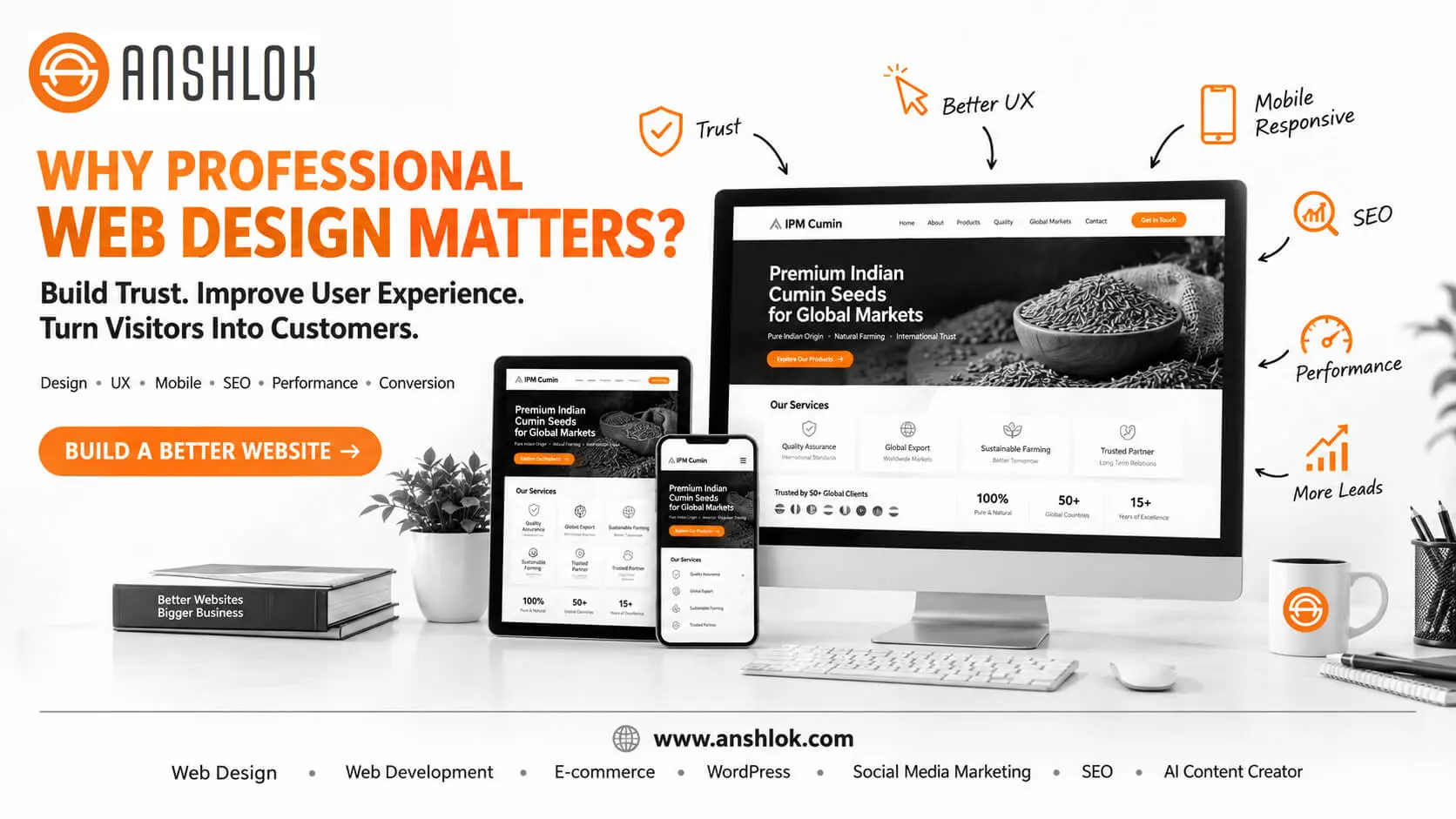
Professional web design matters because your website is often the first serious interaction a customer has with your business. A well-designed website builds trust, communicates value quickly, improves usability, supports SEO, and turns visitors into enquiries, customers, or subscribers.
A website can technically “work” and still underperform.
It may load, display your logo, list your services, and provide a contact form—but if visitors cannot quickly understand who you are, what you offer, why they should trust you, and what they should do next, the website is not doing enough for your business.
That is why professional web design is more than attractive colors, animations, and modern layouts.
It combines visual design, user experience, responsive development, accessibility, content structure, conversion strategy, technical performance, SEO, and brand positioning to create a website that works as a business asset.
Whether you are an Ahmedabad-based business, an Indian startup, an e-commerce brand, a SaaS company, a freelancer, or a global enterprise, this guide explains why professional web design matters—and how to evaluate whether your website is actually helping your business grow.
What Is Professional Web Design?
Professional web design is the strategic process of designing a website around user needs, business objectives, brand identity, usability, accessibility, performance, and conversions.
It is not simply about making a website look modern.
A professional website should help visitors:
- Understand the business quickly.
- Find the information they need.
- Navigate without confusion.
- Trust the brand.
- Complete important actions easily.
- Use the website comfortably on different devices.
- Discover relevant information through search.
- Move naturally toward becoming a customer.
In simple terms:
Good design makes a website look good. Professional web design makes a website work for the business.
Why Does Professional Web Design Matter for a Business?
Professional web design matters because your website often operates as your digital storefront, sales presentation, credibility signal, information resource, and lead-generation channel—all at the same time.
A professionally designed website can help create:
- Stronger first impressions
- Better brand credibility
- Easier navigation
- Higher-quality enquiries
- Better mobile experiences
- Clearer messaging
- Stronger conversion paths
- Better accessibility
- More effective SEO implementation
- A more consistent brand experience
However, design alone does not guarantee more sales.
Business outcomes depend on many factors, including the offer, pricing, traffic quality, content, reputation, competition, technical performance, and conversion process.
The goal of professional web design is to remove unnecessary friction between the visitor and the action the business wants them to take.
1. Your Website Creates a First Impression
Before speaking with your sales team, visiting your office, or contacting your business, many potential customers will encounter your website.
Within seconds, visitors begin forming impressions about:
- Professionalism
- Credibility
- Quality
- Relevance
- Reliability
- Attention to detail
- Whether the company understands their needs
This makes the visual and informational hierarchy of your website important.
Imagine Two Websites
Website A:
- Outdated visual design
- Difficult navigation
- Tiny text
- Broken layouts on mobile
- Generic stock images
- No clear CTA
- Confusing service descriptions
Website B:
- Clear headline
- Strong visual hierarchy
- Consistent branding
- Easy navigation
- Well-structured services
- Visible contact options
- Mobile-friendly layouts
- Helpful content
- Clear calls to action
Even before comparing the companies themselves, the second website may communicate a stronger sense of professionalism.
Pro Tip
Do not ask only, “Does my website look beautiful?”
Ask:
“What does a first-time visitor understand about my business within the first few seconds?”
That is a much more valuable design question.
2. Professional Web Design Builds Brand Trust
Trust is particularly important online because visitors cannot physically interact with your business before taking action.
Your website can reinforce trust through:
- Consistent branding
- Clear company information
- Professional typography
- High-quality imagery
- Transparent contact information
- Customer testimonials
- Case studies
- Certifications where relevant
- Policies and terms
- Secure browsing
- Accurate content
- Clear service information
Brand Consistency Matters
Your website should visually connect with your:
- Logo
- Social media profiles
- Marketing campaigns
- Presentations
- Packaging
- Business cards
- Advertising
- Email communications
When these elements feel disconnected, the brand experience becomes weaker.
Professional web design creates a visual system rather than designing every page independently.
3. Professional Design Makes Information Easier to Understand
One of the biggest design mistakes is trying to say everything at once.
A website can contain excellent information and still fail if that information is poorly organized.
Professional design uses visual hierarchy to tell visitors:
What should I read first?
What matters most?
Where should I look next?
What action should I take?
A Strong Homepage Hierarchy Could Look Like:
H1: What the company does and who it helps
↓
Supporting statement: Why the solution matters
↓
Primary CTA: Request a quote / Book a consultation
↓
Trust signals: Clients, results, certifications, testimonials
↓
Core services
↓
Benefits / solutions
↓
Case studies or proof
↓
FAQs
↓
Final CTA
The exact structure depends on the business, but the principle remains:
Design should guide attention, not compete for it.
4. Professional Web Design Improves User Experience
User experience, commonly called UX, describes how people experience your website while interacting with it.
A website with strong UX helps users accomplish tasks efficiently.
For example:
A visitor searching for your pricing should not have to click through six unrelated pages.
Someone looking for your phone number should not have to search through the footer.
A customer trying to purchase a product should not encounter unnecessary checkout friction.
Good UX Answers Questions Quickly
Visitors should be able to understand:
- Where am I?
- What does this company do?
- What can I find here?
- Where should I click?
- How do I contact the business?
- What happens after I submit this form?
Common UX Problems
- Complicated navigation
- Excessive pop-ups
- Unclear buttons
- Long forms
- Poor content hierarchy
- Inconsistent page layouts
- Hidden contact information
- Confusing checkout processes
- Overuse of animation
- Tiny clickable elements
Common Pitfall
More features do not automatically mean better UX.
A website with 20 interactive elements can be harder to use than a simple website with five well-designed components.
5. Professional Web Design Is Essential for Mobile Users
Your website must work effectively across:
- Smartphones
- Tablets
- Laptops
- Desktop monitors
- Large displays
Responsive web design allows layouts to adapt to different screen sizes.
But responsive design is more than shrinking a desktop website.
A professional mobile experience may require changes to:
- Navigation
- Font sizes
- Button dimensions
- Image proportions
- Content order
- Forms
- Spacing
- Tables
- Product grids
- Menus
Mobile Design Checklist
Ask:
- Can users read the content without zooming?
- Are buttons easy to tap?
- Is navigation understandable?
- Do forms work comfortably?
- Are important CTAs visible?
- Are images appropriately sized?
- Does content remain logically ordered?
A website should not merely fit a smartphone screen.
It should be designed for smartphone use.
6. Professional Web Design Supports SEO
Web design and SEO are closely connected.
SEO is not simply about adding keywords to a page.
Search-friendly website architecture can involve:
- Logical information architecture
- Crawlable navigation
- Semantic HTML
- Proper heading hierarchy
- Descriptive page titles
- Useful content
- Internal linking
- Image optimization
- Mobile usability
- Performance
- Structured data where appropriate
- Accessible content
Professional design creates the visual and structural foundation on which SEO can operate.
Design and SEO Should Work Together
For example:
A designer may want a visually minimal page.
An SEO strategist may need descriptive content.
A conversion strategist may need persuasive copy.
A developer may need technically efficient components.
A professional website brings these requirements together rather than treating them as separate projects.
7. Professional Web Design Can Improve Conversion Paths
A conversion occurs when a visitor completes a desired action.
Depending on the business, that might be:
- Contacting the company
- Requesting a quote
- Booking a consultation
- Calling the business
- Purchasing a product
- Starting a free trial
- Downloading a resource
- Registering for an event
- Submitting an enquiry
Professional design makes these actions easier to discover and understand.
Weak CTA
Click Here
More Meaningful CTA
Request Your Free Website Consultation
The second CTA communicates:
What action? Consultation
What is it about? Website
What happens next? The visitor can reasonably expect a consultation
CTA Placement Matters
Depending on the page, CTAs can appear:
- Above the fold
- After explaining benefits
- After service descriptions
- Near testimonials
- After FAQs
- At the end of the page
Avoid placing a CTA after every sentence.
Good conversion design uses appropriate timing, context, and relevance.
8. Professional Web Design Makes Your Business Easier to Understand
A common business problem is not poor service—it is poor communication.
You may know exactly what your company does.
Your visitor does not.
Your website therefore needs to answer:
Who are you?
Clearly communicate your company and positioning.
What do you offer?
Present services or products in understandable language.
Who is it for?
Identify the audience you serve.
Why should someone choose you?
Explain meaningful differentiators.
What should they do next?
Provide a clear CTA.
This is particularly important for complex B2B, SaaS, consulting, technology, and professional services websites.
9. Professional Design Helps E-commerce Businesses Sell
E-commerce design has a different challenge.
The website needs to help users:
Discover → Evaluate → Trust → Purchase
Product pages therefore need careful attention to:
- Product photography
- Product descriptions
- Pricing
- Availability
- Specifications
- Variants
- Reviews
- Shipping information
- Returns
- Payment options
- CTAs
Example
A product page may have excellent photography but still lose customers if:
- The price is difficult to find.
- Shipping information is hidden.
- The Add to Cart button is unclear.
- Product variations are confusing.
- The checkout process is unnecessarily long.
Professional e-commerce web design considers the entire customer journey—not just the product image.
10. Professional Web Design Matters for SaaS Companies
SaaS websites have another challenge:
They must explain a product that may be difficult to understand before someone experiences it.
A SaaS homepage may need to communicate:
- The problem
- The solution
- Core functionality
- Key benefits
- Target users
- Integrations
- Security
- Pricing
- Customer proof
- Product demonstrations
- Trial or demo CTA
The design should help visitors move from:
“What is this?”
to:
“I understand it.”
to:
“This could solve my problem.”
to:
“I want to try it.”
That progression is both a content and design challenge.
11. Professional Web Design Improves Accessibility
A professional website should be usable by as many people as reasonably possible.
Accessibility considerations can include:
- Sufficient color contrast
- Keyboard accessibility
- Meaningful link text
- Alternative text for relevant images
- Logical heading hierarchy
- Form labels
- Focus indicators
- Readable typography
- Avoiding information conveyed only through color
- Appropriate motion behavior
Accessibility is not simply a compliance checkbox.
It can improve usability for everyone.
For example, clearer typography benefits people with visual difficulties and users reading on small screens.
Clear navigation benefits users with disabilities and visitors who are simply in a hurry.
12. Professional Web Design Can Support Better Website Performance
A beautiful website that takes too long to become usable creates friction.
Professional design should consider performance from the beginning.
Performance-Friendly Design Practices
- Optimize images
- Avoid unnecessary animation
- Minimize excessive third-party scripts
- Use efficient fonts
- Reduce unnecessary page elements
- Implement appropriate caching
- Use responsive images
- Avoid oversized media
- Keep layouts technically efficient
Important Distinction
Web design influences performance, but design is not the only performance factor.
Development architecture, hosting, databases, APIs, plugins, scripts, content, and network conditions also matter.
13. Professional Design Creates Better Content Experiences
Design and content should be developed together.
A page can contain excellent writing and still be difficult to read if it has:
- Huge paragraphs
- No headings
- Weak contrast
- No visual hierarchy
- Poor spacing
- Excessive jargon
Professional design turns content into a more usable information experience.
Use:
- Short paragraphs
- Descriptive headings
- Bullet points
- Highlighted benefits
- Relevant visuals
- Tables where appropriate
- FAQs
- Clear CTAs
This is particularly valuable for information-heavy websites and content marketing.
14. Professional Web Design Supports Generative Search and AI Discovery
Search is increasingly becoming conversational.
People may ask AI-powered search systems questions such as:
“Which web design company in Ahmedabad works with small businesses?”
or:
“What should a business look for when hiring a website development company?”
A website needs more than attractive visuals to be useful in these environments.
It should contain:
- Clear entity information
- Descriptive headings
- Direct answers
- Well-organized topical content
- Author information
- Business information
- Relevant internal links
- Supporting evidence
- Consistent brand information
- Structured data where appropriate
This is where GEO (Generative Engine Optimization) intersects with traditional SEO.
The objective is to make information easier for both humans and machines to understand.
15. Professional Web Design Gives Your Business a Competitive Advantage
Suppose two companies offer similar services at similar prices.
Company A has:
- Confusing navigation
- Weak messaging
- Outdated visuals
- No proof
- Poor mobile experience
Company B has:
- Clear positioning
- Strong service pages
- Helpful content
- Consistent branding
- Case studies
- Easy contact options
- Responsive design
The website cannot determine the entire buying decision.
But it can influence how easily visitors understand and evaluate each business.
Pro Tip
Your website should not try to look like your competitor.
Instead, identify:
- What customers care about
- What makes your business different
- What proof you can provide
- What questions buyers ask
- What action you want visitors to take
Then design around those requirements.
Professional Web Design vs DIY Website Design
DIY website builders can be useful, particularly for simple projects and early experiments.
The question is not whether DIY is “bad.”
The question is whether the approach matches the website’s requirements.
| Factor | DIY Website | Professional Web Design |
|---|---|---|
| Initial simplicity | Often high | Depends on project |
| Design flexibility | Template-dependent | High |
| Brand customization | Moderate | High |
| UX strategy | Usually self-directed | Strategically planned |
| SEO architecture | Varies | Can be planned from beginning |
| Conversion strategy | Often limited | Built into structure |
| Accessibility | Depends on implementation | Can be deliberately addressed |
| Performance optimization | Platform-dependent | Can be technically optimized |
| Scalability | Platform-dependent | Planned around business growth |
| Technical expertise | Mostly owner-managed | Professional team |
| Best use case | Simple/early projects | Growth-focused business websites |
A DIY site can absolutely succeed.
But as website requirements become more complex, the value of professional strategy and implementation generally increases.
What Does a Professional Website Design Process Look Like?
A professional project should begin before anyone chooses colors.
Step 1: Business Discovery
Understand:
- Business objectives
- Target audience
- Services
- Competition
- Differentiators
- Customer journey
- Conversion goals
Step 2: Audience & Search Research
Identify:
- Customer questions
- Search intent
- Relevant topics
- Geographic relevance
- Competitor content
- Commercial keywords
Step 3: Information Architecture
Plan:
- Main navigation
- Service pages
- Product categories
- Content hubs
- Internal linking
- Conversion pathways
Step 4: Wireframing
Create structural layouts before detailed visual design.
Step 5: Visual Design
Develop:
- Typography
- Colors
- Components
- Imagery
- Icons
- Spacing
- Brand elements
Step 6: Responsive Development
Build the website so important layouts work across screen sizes.
Step 7: Content Integration
Add:
- SEO-friendly copy
- Images
- Videos
- FAQs
- CTAs
- Trust signals
Step 8: Technical Optimization
Review:
- Performance
- Security
- Forms
- Tracking
- SEO
- Accessibility
- Structured data
Step 9: Quality Assurance
Test:
- Desktop
- Tablet
- Mobile
- Major browsers
- Navigation
- Forms
- Links
- Checkout
- Interactive elements
Step 10: Launch & Continuous Improvement
A website launch should not necessarily be the end.
Monitor:
- Organic traffic
- Engagement
- Enquiries
- Conversion rates
- Search queries
- Technical issues
- User behavior
Then improve the pages based on evidence.
How to Measure Whether Your Web Design Is Working
“Looks professional” is not enough.
Track meaningful business and user-experience signals.
Business Metrics
- Qualified leads
- Enquiry volume
- Conversion rate
- Sales
- Demo requests
- Quote requests
- Revenue generated
Search Metrics
- Organic clicks
- Search impressions
- Relevant keyword visibility
- Indexed pages
- Organic landing-page performance
User Experience Metrics
- Engagement
- Form completion
- Navigation behavior
- Device-specific performance
- Page performance
- Error rates
Example
Suppose a company receives:
10,000 relevant monthly visits
and:
100 qualified enquiries
That produces a simplified enquiry rate of:
100 ÷ 10,000 × 100 = 1%
After redesign, suppose the site generates:
150 qualified enquiries from 10,000 comparable visits
The enquiry rate becomes:
150 ÷ 10,000 × 100 = 1.5%
That is a 50% relative increase in enquiry rate, although the actual business impact would still need to be evaluated alongside lead quality, sales conversion, traffic sources, and other variables.
This is why measurement matters.
A Practical Website Audit Checklist
Before investing in a redesign, audit your current website.
First Impression
- Is the value proposition immediately understandable?
- Does the design reflect the quality of the business?
- Does the homepage have a clear primary CTA?
Navigation
- Can users find important information quickly?
- Are menu labels understandable?
- Is navigation consistent?
Mobile
- Does the site work comfortably on smartphones?
- Are buttons easy to tap?
- Are forms easy to complete?
Content
- Are important services clearly explained?
- Does every major page have a purpose?
- Are customer questions answered?
Trust
- Is company information easy to find?
- Are testimonials or proof available where appropriate?
- Are contact details clear?
SEO
- Are page titles descriptive?
- Is heading hierarchy logical?
- Are pages internally linked?
- Are images appropriately optimized?
- Can search engines understand the website structure?
Conversion
- Is the next action obvious?
- Are forms unnecessarily long?
- Are CTAs relevant to the page?
- Is the enquiry process simple?
Common Professional Web Design Mistakes to Avoid
Mistake 1: Designing for the Owner Instead of the Customer
The owner knows the business.
The visitor does not.
Fix: Design around customer questions, needs, objections, and actions.
Mistake 2: Prioritizing Visual Trends Over Usability
Animations and trendy layouts can become distracting when they do not serve a purpose.
Fix: Every visual element should support communication, navigation, trust, or conversion.
Mistake 3: Treating Mobile as an Afterthought
A desktop design that is simply compressed onto a phone is not necessarily good responsive design.
Fix: Design mobile experiences deliberately.
Mistake 4: Hiding the CTA
If the visitor cannot determine what to do next, the website creates unnecessary friction.
Fix: Use clear, context-specific CTAs.
Mistake 5: Writing for Search Engines Instead of Humans
Keyword stuffing can make content difficult to read and understand.
Fix: Create useful content around real customer questions and search intent.
Mistake 6: Launching Without Measurement
Without analytics and conversion tracking, you may not know whether your redesign actually improved business performance.
Fix: Define measurable goals before launch.
How Much Does Professional Web Design Cost?
There is no universal professional web design price.
The cost depends on:
- Number of pages
- Design complexity
- Custom functionality
- CMS
- E-commerce requirements
- Integrations
- Content creation
- SEO requirements
- Animation
- Accessibility requirements
- Development complexity
- Ongoing maintenance
A simple brochure website and a large e-commerce platform should not be evaluated using the same pricing model.
Better Question
Instead of asking only:
“How much does a website cost?”
ask:
“What website do I need to achieve my business objective, and what level of design, development, content, SEO, and maintenance does that require?”
That question produces a much more useful project scope.
When Should You Redesign Your Website?
A redesign may be worth considering if:
- Your website looks outdated.
- Your brand has changed.
- Your site is difficult to use on mobile.
- Your messaging is unclear.
- Your conversion process is weak.
- Your navigation has become complicated.
- Your website no longer reflects your products or services.
- Your business has expanded.
- Your current platform limits growth.
- Your website has accumulated technical problems.
- Your competitors provide significantly better digital experiences.
However, not every problem requires a complete redesign.
Sometimes the right solution is:
- Content restructuring
- UX improvements
- Technical optimization
- Conversion optimization
- SEO improvements
- Performance work
- A focused landing-page redesign
Diagnose first. Redesign second.
Why Professional Web Design Matters for Ahmedabad Businesses
For businesses competing in Ahmedabad and across Gujarat, your website can serve customers beyond your physical location.
A professional website can help communicate:
- What your business does
- Which locations you serve
- Which industries you understand
- What products or services you provide
- Why customers should contact you
- How customers can reach you
For local SEO, geographic relevance should be natural and supported by genuine business information—not repeated city names unnaturally across every paragraph.
A business serving Ahmedabad can also build content and service pages around relevant audiences across:
Ahmedabad → Gujarat → India → Global markets
The website architecture should support that growth.
Why Professional Web Design Matters for Different Audiences
Professional design should adapt to the people using the website.
Business Owners
Need clear value, credibility, pricing information, and an easy way to enquire.
E-commerce Customers
Need product clarity, trust, comparison information, shipping details, and a frictionless purchase journey.
Startup Founders
Need positioning, differentiation, scalability, and a strong foundation for future growth.
SaaS Users
Need fast understanding of the product, benefits, features, proof, and an obvious trial/demo path.
Corporate Buyers
Often need detailed information, credibility, compliance information, case studies, and structured navigation.
Freelancers & Creators
Need strong personal branding, portfolio presentation, services, and contact opportunities.
Older Adults
May benefit from larger readable text, straightforward navigation, strong contrast, clear instructions, and reduced interaction complexity.
Gen Z & Millennials
Often expect mobile-friendly experiences, concise communication, authentic branding, fast interactions, and visually engaging content.
Information Seekers
Need organized content, clear headings, search functionality where appropriate, references, and easy-to-understand explanations.
The principle is simple:
Professional design starts with people, not pixels.
Internal Linking Opportunity for ANSHLOK
For this article, the primary contextual internal link should use:
Recommended anchor text: professional web design services in Ahmedabad
Destination:
ANSHLOK Web Design service hub: https://www.anshlok.com/web-design-ahmedabad/
Additional relevant internal links can naturally connect this article with ANSHLOK pages covering:
- Website development
- WordPress website development
- E-commerce website development
- SEO
- Social media marketing
- AI content creation
Avoid forcing every service link into the article. Link where the additional page genuinely helps the reader.
Authoritative External Reference Opportunities
To strengthen the article’s E-E-A-T and provide readers with primary sources, consider linking to:
1. Official Web Accessibility Guidance
Use W3C Web Accessibility Initiative (WAI) documentation when discussing accessibility, semantic structure, keyboard navigation, contrast, and accessible web experiences.
2. Official Search & Performance Documentation
Use Google Search Central documentation for search-related technical guidance and web.dev for performance and user-experience guidance.
Best practice: Link to the specific official documentation page that supports the claim rather than linking to generic third-party SEO articles.
People Also Ask: Why Professional Web Design Matters
Why is professional web design important for a business?
Professional web design helps a business communicate its value clearly, build credibility, improve usability, and create effective paths toward enquiries or purchases. It can also provide a stronger foundation for mobile usability, SEO, accessibility, and long-term website growth.
How does professional web design help increase sales?
Professional design can reduce friction by making products, services, benefits, trust signals, and calls to action easier to understand and use. However, sales depend on multiple factors—including traffic quality, pricing, product-market fit, offer strength, and the overall customer journey—so design alone does not guarantee higher sales.
Does professional web design improve SEO?
Professional web design can support SEO through logical site architecture, mobile-friendly layouts, semantic structure, internal linking, accessible content, performance considerations, and clear information hierarchy. SEO results also depend on content quality, technical implementation, authority, search intent, competition, and many other factors.
How often should a business redesign its website?
There is no fixed redesign schedule. A business should consider redesigning when its website no longer supports its users, brand, technology, accessibility, performance, SEO, or business goals; sometimes targeted improvements are more appropriate than a complete redesign.
Is professional web design worth the investment for a small business?
It can be, particularly when the website is an important source of leads, sales, bookings, or customer information. The appropriate investment depends on the business model, website complexity, growth objectives, and expected return rather than simply choosing the most expensive design.
Your Website Should Work as Hard as Your Business
A professional website is not simply a digital brochure.
It can become:
Your first impression.
Your digital storefront.
Your sales assistant.
Your information hub.
Your brand experience.
Your lead-generation channel.
Your foundation for SEO and AI discovery.
But achieving those outcomes requires more than choosing a fashionable template.
The strongest websites bring together strategy, UX, visual design, content, SEO, accessibility, performance, technology, and conversion thinking.
If your current website looks good but visitors still struggle to understand your offer, find information, trust your business, or take the next step, the problem may not be your traffic.
It may be the experience you’re giving that traffic.
That is where professional web design becomes a business investment rather than simply a design expense.
Build a Website Designed for Business Growth
Your website should do more than look professional. It should help people understand, trust, and choose your business.
ANSHLOK combines web design, website development, SEO, conversion-focused content, and digital strategy to help businesses create stronger digital experiences.
Whether you’re launching a new website, redesigning an outdated site, improving an e-commerce experience, or building a growth-focused website for your company, start with the business objective—not just the visual style.
Ready to build a website that works harder for your business?
→ Request a Web Design Consultation from ANSHLOK
ANSHLOK — #1 Digital Solutions Services
Web Design • Web Development • E-commerce • WordPress • SEO • Social Media Marketing • AI Solutions