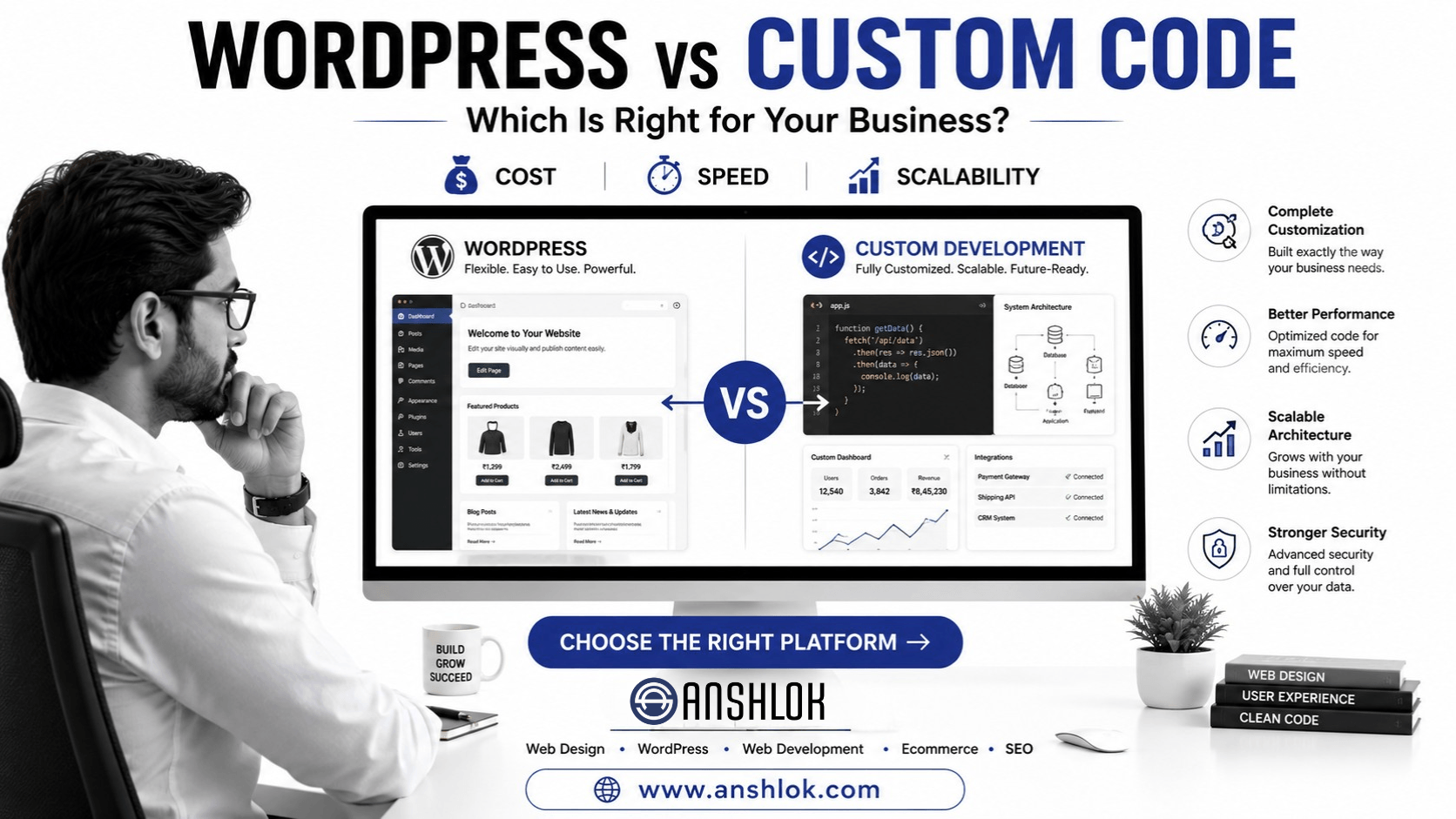
WordPress or Custom Development? WordPress is usually the better choice when a business needs a cost-effective, manageable website quickly, while custom web development makes more sense when unique workflows, complex integrations, or highly specialized functionality justify greater development time and cost. The right choice depends on business requirements—not technology trends.
Choosing between WordPress and custom development can feel like choosing between speed and flexibility.
A small business may need a professional website launched quickly. An ecommerce company may need advanced integrations. A manufacturer may require dealer portals, quotation systems or ERP connectivity. A growing SaaS company may need functionality that doesn’t fit neatly into a traditional CMS.
So the real question isn’t:
“Is WordPress better than custom code?”
It is:
“Which technology is the best fit for what my business actually needs?”
This guide breaks down the differences between WordPress and custom web development, including cost, speed, scalability, security, SEO, maintenance, ecommerce, integrations and long-term business requirements.
WordPress vs Custom Development: Which Platform Is Best for Your Business?
The answer depends on your business model, functionality, budget, timeline and future growth plans.
There is no universally superior technology.
A five-page local service website doesn’t necessarily need hundreds of hours of custom development.
At the same time, forcing a complex business platform into WordPress can create unnecessary technical limitations.
The smartest approach is to start with the business problem and then select the technology.
What Is WordPress Website Development?
WordPress is an open-source content management system (CMS) that allows websites to be created and managed through a combination of themes, plugins, configuration and custom development.
It is widely used for:
- Business websites
- Blogs
- Corporate websites
- Service websites
- Landing pages
- News websites
- Portfolio websites
- Membership websites
- Ecommerce websites
- Content-driven websites
A professional WordPress website doesn’t necessarily mean installing a theme and changing a few colors.
Experienced WordPress development can include:
- Custom themes
- Custom plugins
- API integrations
- Custom post types
- Database customization
- WooCommerce development
- Performance optimization
- Security hardening
- SEO implementation
- CRM integrations
- Payment gateways
- Third-party services
That distinction is important.
WordPress can be highly customized.
What Is Custom Web Development?
Custom web development means building website functionality specifically for a business rather than relying primarily on a pre-existing CMS structure.
Depending on the project, custom development can involve technologies such as:
- HTML
- CSS
- JavaScript
- PHP
- Python
- Node.js
- React
- Next.js
- Laravel
- APIs
- Databases
- Cloud services
The technology stack should be selected according to the project rather than simply choosing the newest framework.
A custom solution can be appropriate when a business needs:
- Unique workflows
- Complex business logic
- Highly customized dashboards
- Advanced APIs
- Enterprise integrations
- Specialized portals
- Large-scale applications
- Custom data structures
WordPress vs Custom Development: The Core Difference
The simplest way to understand the difference is:
WordPress provides an established content-management foundation that can be customized, while custom development gives developers greater control over the application’s architecture and functionality.
Neither automatically produces a better website.
The quality of:
Strategy + UX + design + development + SEO + content + performance + maintenance
often matters more than the label attached to the technology.
WordPress vs Custom Development Comparison
| Factor | WordPress | Custom Development |
|---|---|---|
| Initial development speed | Usually faster | Usually slower |
| Setup | Relatively straightforward | Requires architecture planning |
| Content management | Excellent | Must usually be built/configured |
| Custom functionality | High | Very high |
| Development cost | Often lower | Often higher |
| Maintenance | CMS, themes and plugins require management | Fully custom maintenance |
| Plugin ecosystem | Extensive | Usually build/integrate functionality |
| Scalability | Can scale significantly with proper architecture | Highly customizable |
| SEO | Excellent potential | Excellent potential |
| Ecommerce | WooCommerce and other solutions | Fully custom possible |
| Integrations | Plugins/API/custom development | Fully customizable |
| Ownership | Depends on implementation/hosting | Depends on implementation/hosting |
| Best for | Many businesses and content-driven websites | Complex applications and unique systems |
Important: These are general comparisons. A poorly developed WordPress website can perform worse than a well-built custom website, while an unnecessarily complex custom project can be a worse business decision than WordPress.
1. Development Speed
WordPress
WordPress has an enormous advantage when speed matters.
Developers don’t need to build every basic CMS feature from zero.
Features such as:
- Pages
- Posts
- Users
- Media
- Categories
- Menus
- Content management
already have established foundations.
A professional business website can therefore often move from planning to launch faster than a completely custom platform.
Custom Development
With custom development, the team may need to design and implement:
- Architecture
- Authentication
- Admin interface
- Database structures
- Content management
- APIs
- Business logic
- Security mechanisms
- Deployment systems
That increases development time.
Winner for speed:
WordPress
2. Development Cost
Cost is one of the biggest reasons businesses compare these approaches.
WordPress can reduce development time because developers can use existing infrastructure.
Custom development generally requires more engineering hours.
But don’t make the mistake of asking only:
“Which is cheaper?”
Ask:
“Which solution provides the best return on investment for our requirements?”
A $5,000 solution that doesn’t support the business may be more expensive than a $10,000 solution that solves the problem properly.
Likewise, spending heavily on custom architecture for a simple five-page company website may provide little additional business value.
3. Customization
This is where custom development traditionally has an advantage.
If you have a highly specialized requirement, custom architecture can provide greater control.
For example:
A manufacturer needs a dealer login system where each dealer sees different products, pricing, inventory and documents based on their account.
That may require substantial custom functionality.
However, WordPress should not be underestimated.
With custom themes, plugins and integrations, WordPress can support sophisticated business websites.
Winner:
Custom development for highly specialized functionality.
WordPress for most conventional business websites with customization requirements.
4. SEO
One of the biggest misconceptions is:
“Custom-coded websites are better for SEO.”
That’s not automatically true.
SEO depends on many factors, including:
- Content quality
- Search intent
- Information architecture
- Technical SEO
- Page speed
- Mobile usability
- Structured data
- Internal linking
- Crawlability
- Metadata
- Canonicalization
- Content depth
- Authority
- User experience
WordPress can be extremely SEO-friendly when properly configured.
Custom development can also be highly SEO-friendly.
The implementation matters more than the platform name.
5. Website Performance
Both WordPress and custom development can produce fast websites.
Both can also produce slow websites.
WordPress performance problems can come from:
- Too many plugins
- Poorly coded themes
- Unoptimized images
- Excessive scripts
- Poor hosting
- Database issues
- Unnecessary third-party integrations
Custom development performance problems can come from:
- Inefficient code
- Poor database queries
- Bad architecture
- Excessive API requests
- Poor caching
- Unoptimized assets
So don’t assume:
Custom = fast
or
WordPress = slow
Performance is an engineering outcome.
6. Security
Security is another area where myths cause confusion.
WordPress itself isn’t automatically insecure.
However, WordPress websites require ongoing management because the ecosystem includes:
- Core updates
- Themes
- Plugins
- Third-party integrations
- User accounts
An outdated plugin can create security risk.
Custom development eliminates some CMS/plugin dependencies but introduces another responsibility:
You own the security of your application architecture.
Custom code must also be:
- Updated
- Audited
- Patched
- Monitored
- Tested
Pro Tip
Don’t sell “custom development” as automatically more secure.
Security depends on development quality, updates, infrastructure, authentication, access controls, monitoring and maintenance.
7. Content Management
For businesses that publish content regularly, WordPress has a major advantage.
Marketing teams can typically manage:
- Blog posts
- Pages
- Images
- Categories
- Authors
- Landing pages
without asking a developer to change every piece of content.
This can dramatically improve marketing agility.
Imagine your SEO team wants to publish:
20 educational articles per month.
A strong CMS workflow can make that process significantly easier.
Winner:
WordPress
8. Ecommerce
For many small and medium-sized businesses, WordPress combined with WooCommerce can be an effective ecommerce foundation.
It can support:
- Products
- Categories
- Orders
- Coupons
- Payments
- Shipping
- Customer accounts
- Inventory
- Tax configuration
- Extensions
However, a custom ecommerce platform may make sense when the business requires highly specialized commerce logic.
For example:
A B2B manufacturer needs contract-specific pricing, dealer-level catalogs, ERP synchronization, custom quotation workflows and complex inventory rules.
That may justify a more customized architecture.
9. Integrations
This is where project complexity becomes important.
Consider integrations with:
- CRM
- ERP
- Payment gateways
- Inventory systems
- Shipping platforms
- Accounting software
- Marketing automation
- AI services
- Business intelligence platforms
WordPress can integrate with many systems through:
Plugins + APIs + custom development.
Custom applications can also integrate deeply with external systems.
The right choice depends on the complexity and reliability requirements of those integrations.
10. Scalability
A common statement is:
“WordPress isn’t scalable.”
That’s too simplistic.
WordPress websites can be scaled through appropriate architecture, caching, database optimization, CDN usage, hosting infrastructure and careful plugin management.
However, custom architecture may provide more control when you’re building a highly specialized application.
The better question is:
What kind of scale are we talking about?
A content website receiving millions of page views has different requirements from a SaaS platform processing millions of transactions.
When WordPress Is the Better Choice
WordPress is often a strong choice when your business needs:
- Corporate website
- Local business website
- Service website
- Blog
- Content marketing platform
- Portfolio
- Professional profile
- Standard ecommerce store
- Lead-generation website
- Landing-page system
- SEO-focused content platform
It is particularly attractive when:
Speed + manageability + content + budget
are important.
When Custom Development Is the Better Choice
Custom development becomes more attractive when you require:
- Unique application workflows
- Complex business rules
- Specialized databases
- Advanced user roles
- Enterprise integrations
- Custom dashboards
- Large transactional systems
- Highly specialized SaaS functionality
- Complex internal tools
- Proprietary processes
If your website is actually becoming a business application, custom development deserves serious consideration.
Decision Matrix: Which Should You Choose?
Use this simple decision framework.
| Requirement | WordPress | Custom |
|---|---|---|
| 5–20 page company website | ⭐⭐⭐⭐⭐ | ⭐⭐ |
| SEO blog | ⭐⭐⭐⭐⭐ | ⭐⭐⭐ |
| Local business | ⭐⭐⭐⭐⭐ | ⭐⭐ |
| Lead-generation website | ⭐⭐⭐⭐⭐ | ⭐⭐⭐ |
| Standard ecommerce | ⭐⭐⭐⭐⭐ | ⭐⭐⭐ |
| Advanced ecommerce | ⭐⭐⭐ | ⭐⭐⭐⭐⭐ |
| Unique business workflow | ⭐⭐⭐ | ⭐⭐⭐⭐⭐ |
| Custom SaaS application | ⭐⭐ | ⭐⭐⭐⭐⭐ |
| Complex ERP integration | ⭐⭐⭐ | ⭐⭐⭐⭐⭐ |
| Rapid launch | ⭐⭐⭐⭐⭐ | ⭐⭐ |
| Easy content management | ⭐⭐⭐⭐⭐ | ⭐⭐ |
| Highly specialized application | ⭐⭐ | ⭐⭐⭐⭐⭐ |
A Simple Decision Formula
Before selecting a platform, answer these seven questions.
1. What does the website need to accomplish?
Is it primarily:
Marketing?
Lead generation?
Content publishing?
Ecommerce?
Business operations?
2. Who will manage the content?
If marketing employees need to publish content frequently, a CMS can provide substantial value.
3. What integrations are required?
List every external system.
Don’t simply say:
“We need API integration.”
Write down the actual systems.
4. What functionality is genuinely unique?
Separate:
Must-have custom functionality
from:
Nice-to-have features.
This can dramatically change the technology decision.
5. What is the expected growth?
Think about:
- Users
- Products
- Traffic
- Transactions
- Data
- Content
- Integrations
6. What is the realistic budget?
Don’t select a platform based on the lowest quote.
Consider:
Development + hosting + maintenance + security + SEO + future changes.
7. Who will maintain it?
This is often overlooked.
Ask:
Who will fix the website six months after launch?
That answer should influence your platform decision.
Common Pitfall: Choosing Technology Before Requirements
One of the biggest mistakes businesses make is starting with:
“I want WordPress.”
or:
“I want custom coding.”
before defining what the website needs to accomplish.
The better process is:
Business Goals → Requirements → UX → Architecture → Platform → Development
not:
Platform → Build → Discover Problems Later
Example 1: Ahmedabad Service Business
Imagine a local professional service company needs:
- 10–15 pages
- Service pages
- Blog
- Contact forms
- WhatsApp integration
- Google Maps
- SEO
- Lead tracking
Would custom development necessarily provide significant additional business value?
Probably not.
A professionally developed WordPress website could be an efficient solution.
The business can invest the saved development resources into:
- SEO
- Content
- Local search
- Lead generation
- Conversion optimization
Example 2: B2B Manufacturer
Now imagine a manufacturer needs:
- Dealer login
- Dealer-specific pricing
- Inventory synchronization
- ERP integration
- Product configuration
- Quotation workflow
- Document management
- Customer-specific permissions
This is a very different project.
A custom application—or a hybrid architecture—may be more appropriate.
The important point:
The business requirement determines the architecture.
Example 3: Ecommerce Business
Imagine an ecommerce company has:
- 1,000 products
- Online payments
- Shipping integration
- Coupons
- Customer accounts
- SEO content
- Standard inventory management
WordPress + WooCommerce may be a practical option.
But if the company requires:
- Complex B2B pricing
- Multiple warehouses
- Real-time ERP synchronization
- Advanced product configuration
- Custom procurement workflows
- Large-scale transaction processing
then a custom or hybrid solution may deserve consideration.
WordPress Doesn’t Mean “Basic Website”
This deserves special attention.
There are two very different implementations:
Basic WordPress Setup
Install theme → install plugins → edit content → launch.
Professional WordPress Development
Strategy → UX → custom design → custom development → API integrations → SEO architecture → performance optimization → security → testing → analytics → maintenance.
These are not equivalent.
A professional WordPress implementation can be highly customized.
Custom Development Doesn’t Mean “Better Website”
Likewise, custom code doesn’t automatically make a website:
- Faster
- More secure
- Better for SEO
- More profitable
- Easier to maintain
- More scalable
A custom-built website with poor architecture can become an expensive technical problem.
Technology should serve the business—not the other way around.
WordPress Development in Ahmedabad: What Businesses Should Look For
If you’re searching for WordPress development Ahmedabad, don’t compare companies solely on price.
Ask potential developers:
Do you create custom designs?
Do you optimize Core Web Vitals?
Do you implement technical SEO?
Do you provide responsive development?
Do you secure WordPress installations?
Do you optimize plugins?
Can you integrate APIs?
Do you provide backups?
Do you provide post-launch maintenance?
Who owns the website and hosting accounts?
Can the website scale as the business grows?
These questions reveal considerably more than a portfolio screenshot.
What About Hybrid Development?
There is also a third option:
WordPress + Custom Development
You don’t always have to choose between “pure WordPress” and “100% custom.”
For example:
WordPress
can manage:
- Marketing pages
- Blog
- SEO content
- Landing pages
while custom systems handle:
- Business logic
- Specialized dashboards
- External integrations
- Internal applications
This hybrid approach can provide a useful balance between content management and custom functionality.
Pro Tip: Build Only What Creates Business Value
Custom development can be powerful.
But every custom feature adds potential:
- Development cost
- Testing requirements
- Maintenance
- Documentation
- Security responsibilities
Before building something custom, ask:
Does this feature create measurable business value?
If not, reconsider it.
What Should Your Business Choose?
Here’s the practical answer.
Choose WordPress if:
You need a professional business website, content platform, lead-generation website or standard ecommerce solution that can be launched efficiently and managed easily.
Choose custom development if:
Your website requires complex application functionality, unique workflows, specialized integrations or business logic that justifies a custom architecture.
Choose hybrid development if:
You need WordPress for marketing/content but custom functionality for specialized business operations.
Frequently Asked Questions
Is WordPress better than custom web development?
Neither is universally better. WordPress is often better for content-driven business websites and many ecommerce projects, while custom development is better suited to complex applications and specialized workflows.
Is custom web development more expensive than WordPress?
It often is because custom development generally requires more engineering and testing. However, the final cost depends on functionality, integrations, architecture, design and maintenance requirements.
Is WordPress good for SEO?
Yes. WordPress can support excellent SEO when it is properly configured and developed. SEO performance depends on content, technical implementation, site architecture, performance, internal linking and many other factors—not simply the CMS.
Can WordPress handle ecommerce?
Yes. WordPress can support ecommerce through solutions such as WooCommerce and additional integrations. More complex ecommerce businesses may require substantial custom development or another architecture.
Should a small business choose WordPress or custom development?
For many small businesses, WordPress is a practical starting point because it can provide professional design, content management, SEO capabilities and business functionality without the development overhead of a completely custom application.
The Right Website Technology Starts With the Business
The WordPress vs custom development debate shouldn’t be about which technology is “cooler.”
It should be about fit.
If your goal is a professional business website, content marketing platform or lead-generation website, WordPress can provide an excellent balance of flexibility, speed and manageability.
If your business requires a specialized digital application with complex workflows and integrations, custom development may provide the control you need.
And sometimes the smartest solution is both.
Before choosing a platform, define your business goals, functionality, integrations, growth expectations and maintenance requirements.
Then select the technology.
Build around the business—not around the technology.
🚀 Need Help Choosing WordPress or Custom Development?
ANSHLOK helps businesses in Ahmedabad, Gujarat, India and beyond plan, design and develop websites based on their actual business requirements.
From WordPress Website Development and Web Design to Ecommerce, Custom Web Development, SEO, Social Media Marketing and AI-powered digital solutions, the objective should always be the same:
Build a website that supports business growth—not simply a website that exists online.
Talk to Anshlok About Your Website Project →
Recommended internal link anchor:
“WordPress Website Development in Ahmedabad”
Link it to:
https://www.anshlok.com/wordpress-website-ahmedabad/
Recommended External References
For the published article, consider linking to authoritative, non-competing sources such as:
- WordPress.org official documentation — for WordPress architecture, CMS capabilities and official platform information.
- WooCommerce official documentation — for ecommerce capabilities, extensions and technical implementation.
These should support specific factual claims rather than being added simply for the sake of having external links.